
Interactive Banner for Godrej Spotlight
Updated: Sep 19
OVERVIEW
Role | UX Design Lead, 3D Design & Production Art Lead |
Project Type | Interactive 3D Banner for Marketing |
Platform | Web3D (Browser-based Application for Desktop & Mobile) |
Contribution | UI/UX Design, 3D Design & Production, Animation, Technical Art, Optimisation |
Technologies | Blender, Threejs Editor, React, Figma |
Status | Completed & Deployed |
The project for Godrej was a web experience that showcased the features and technology of the company’s then-new line of security cameras in an interactive fashion. The experience was launched as a browser-based application that could be accessed via Windows (PC), Mac, Android and iOS devices.
This project was my first major experience in UI/UX design and development for Web3D applications, and it introduced me to the demands of designing for both visual engagement and real-time performance in a browser environment.
THE CHALLENGE
Preliminary discussions with the client established the project's objective: to deliver an intuitive, lightweight solution for families and households.
From a design perspective, the challenge was to communicate product value quickly while remaining approachable for a family-oriented audience. Interactions needed to be simple and welcoming, enabling users to understand the product and its benefits within a short time.
From a development perspective, the project posed the challenge of rendering detailed 3D models, animations and scene lighting on web platforms for devices with varying levels of processing power.
ROLE & FOCUS AREAS
I served as Lead UI/UX Designer & Lead Production Artist on the project, implementing the application’s design and leading the 3D development team to build and optimise the application for all target devices.
As a team project, the application's aesthetics and interactions were designed in collaboration with the Development Lead and the Account Manager, ensuring design decisions were feasible, honouring the company's brand guidelines while creating an experience that is stable and performant.
SOLUTION & PROCESS
IDEATION
As a response to the brief, early concepts explored three solution tiers aligned with budget and timeline constraints. Across all tiers, the priority was a clean, streamlined experience that quickly familiarised users with the product and its key features.

DESIGN
As an interactive banner, the application’s user flow was kept straightforward, showcasing only the important features of each product. This decision to keep the information as lightweight as possible helped lower the chances of overwhelming potential buyers with information overload. This design feature was established at a preliminary stage and was reflected in the banner’s early iterations.
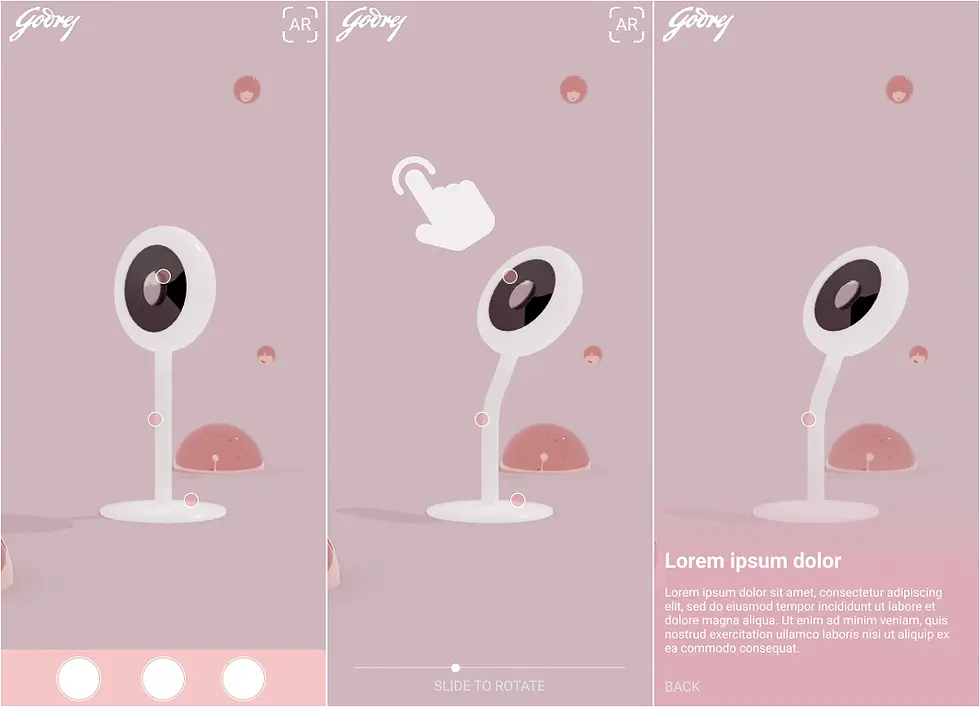
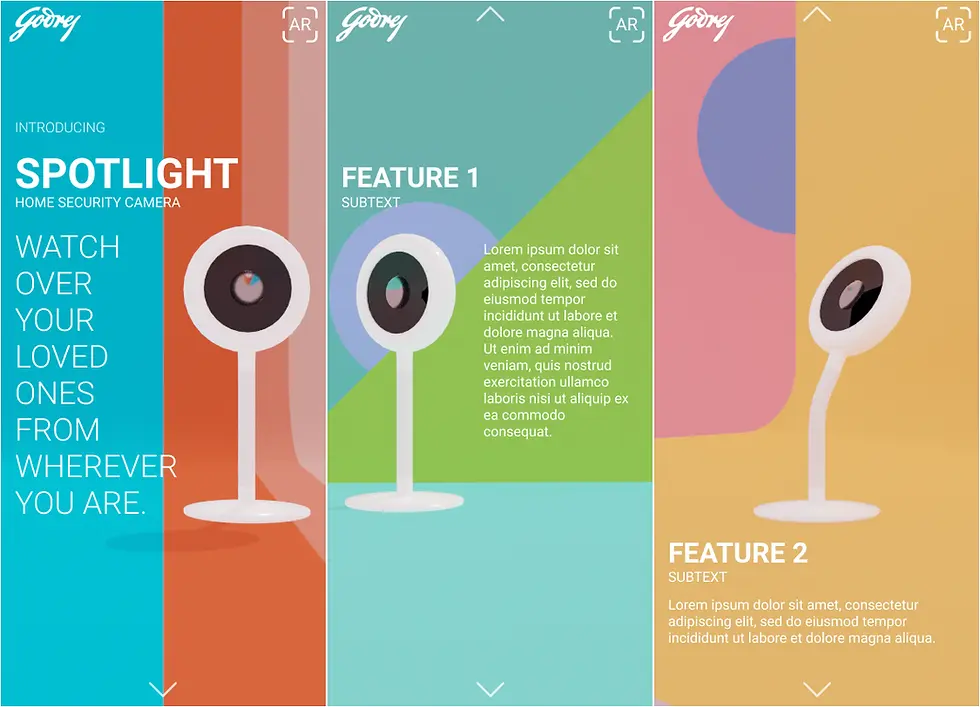
The final design featured a subdued, pastel-like colour palette and a curvilinear shape language for the UI, promoting an aesthetic that feels welcoming and intended for family-oriented audiences.

Additionally, to avoid static compositions, subtle animations, as seen with the particle system, were used to retain dynamism even when the experience is idle.
DEVELOPMENT
With the application’s design and aesthetics established, the development stage involved building virtual assets and animations with the application’s programming.

ThreeJS Editor simulated web platform conditions, with developed assets tested with lighting and target colour spaces based on the device. Additionally, developed animations were tested using the editor.
The tool served as a preliminary testing platform before delivering assets to developers for integration, significantly reducing errors pertaining to asset specifications and formats.

Similar to mobile VR experiences, assets required heavy optimisation to ensure smooth performance on the target devices. Regarding mesh detailing, the scene's triangle density did not cross the 100K threshold. Similarly, the resolution of each texture set for asset rendering was kept as low as possible, with the largest size set at 2K.
Additionally, with dynamic lighting, the setup used only a single real-time light with ambient lighting provided using an HDRI to reduce computational load.
PROJECT OUTCOMES & NEXT STEPS
As an interactive experience, the application proved effective in promoting the products, giving its target users sufficient insight into both the models’ features.
As someone who was at that point new to Product Design and Development, my participation in the project exposed the need for thorough user research and adherence to a strict design guideline. Regarding development, the project helped implement previously researched workflows that support smooth performance for web applications.